
Description
You cannot link this license to a personal account or log into an account while using the software, as the license is tied exclusively to your system or device.
This license key gives you access to Educational Version of Autodesk AutoCAD. There is no reference to the educational version in print nor the classic watermark.
Cloud services and access to mobile and web applications are not included in this type of license!
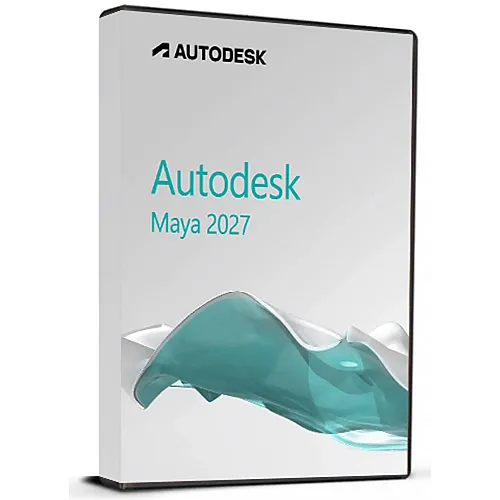
Instant Activation: Autodesk Maya 2027 (1 Year / 1 Device License) (Windows) (Subscription / Global) CD Key
Bring expansive worlds, complex characters, and jaw-dropping effects to life with Autodesk Maya 2027. As the industry-defining software for 3D animation, modeling, simulation, and rendering, Maya continues to set the benchmark for artists, game developers, visual effects professionals, and motion designers globally.
This 1-year software subscription grants full access to the absolute latest version of Maya on the Windows platform, complete with ongoing feature updates, security patches, and official Autodesk tech support during your 12-month term.
What’s New & Key Features in Maya 2027
-
Flawless Geometry with Smart Bevel: Say goodbye to self-intersecting geometry and pinching edges. The cutting-edge Smart Bevel system automatically aligns bevels with the natural curvature and flow of your mesh. It yields incredibly clean topology, especially on irregular surfaces left behind by complex Boolean operations.
-
AI-Driven Equine Animation (MotionMaker): Build natural layout and previsualization (previs) workflows quickly. Maya’s generative MotionMaker framework introduces a dedicated horse archetype (adsk_equine). Trained on real-world motion capture data, it effortlessly handles walks, trots, gallops, and smooth pace transitions out of the box.
-
Integrated Skin Tools (ngSkinTools): Autodesk has built the highly acclaimed third-party skinning plugin directly into Maya’s core architecture. Character riggers can now paint skin weights using a non-destructive, layer-based approach equipped with powerful masking and mirroring capabilities natively in the UI.
-
Modernized Sequencer: The entire layout and previs editor has been rebuilt from scratch. The updated Sequencer features a crisp, high-DPI timeline with time-scaling, custom color-coding, and automatic thumbnails, paired with a massively optimized Playblast engine that outputs full audio and viewport-accurate renders.
-
Procedural Destruction via Bifrost 3.0: Build scale-shattering simulations faster. Bifrost’s new procedural Rigid Body Dynamics (RBD) lets you tweak physics, manage fractures, and re-simulate without rebuilding your node graph from scratch. High-resolution liquids also receive brand-new surface tension controls for realistic droplets.
-
LookdevX 2.0 & Custom Shading: Author robust MaterialX and USD materials that seamlessly carry across pipelines. LookdevX 2.0 adds smart relative asset paths, while the bundled Arnold 7.5 (MtoA 5.6.0) introduces stylized Line Shaders, lightweight USD instancing, and hyper-realistic hair scattering.
-
Autodesk Assistant (Tech Preview): Find exactly what you need without breaking your creative stride. The internal AI chatbot lets you query technical workflows and documentation in natural language directly inside the application workspace.
Subscription & Delivery Details
| Detail | Specification |
| Product Type | Autodesk Software Subscription |
| Term Length | 1 Year (12 Months) |
| Seats Included | 1 User Account |
| Platform Compatibility | Windows (64-bit optimized) |
| Delivery Method | Instant Digital Provisioning via your Autodesk Account |
Minimum System Requirements (Windows)
-
Operating System: Microsoft® Windows® 11 or Windows® 10 (64-bit only)
-
Processor: 64-bit Intel® or AMD® multi-core processor with SSE4.2 instruction set
-
Memory: 8 GB of RAM minimum (16 GB or higher recommended)
-
Disk Space: 7 GB of free hard drive space for initial installation
-
Graphics: Certified hardware-accelerated workstation GPU (Refer to official Autodesk qualified graphics card listings)
-
Hardware Interface: A standard three-button mouse is essential for 3D viewport navigation

Reviews
There are no reviews yet.